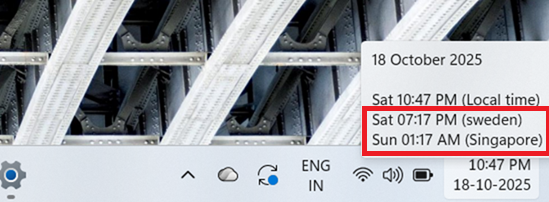
Follow below mentioned 3 step instruction to add additional clock on windows systems tray
Note: These instructions are valid for users having windows 11 version 24H2 and above
Step1: Search for “Date & Time Settings” in search bar and click on it

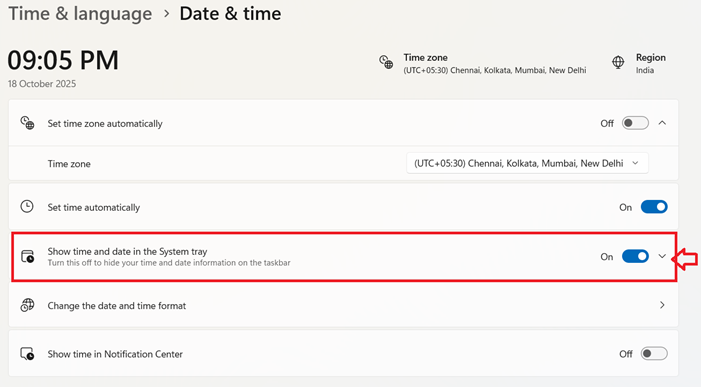
Step2: Click on drop down button of “Show Time and Date in System Tray”
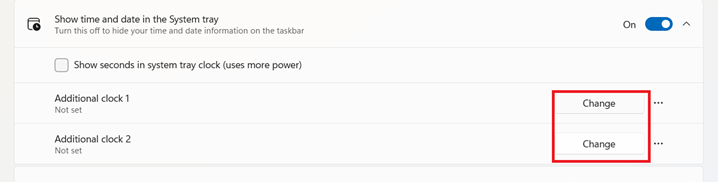
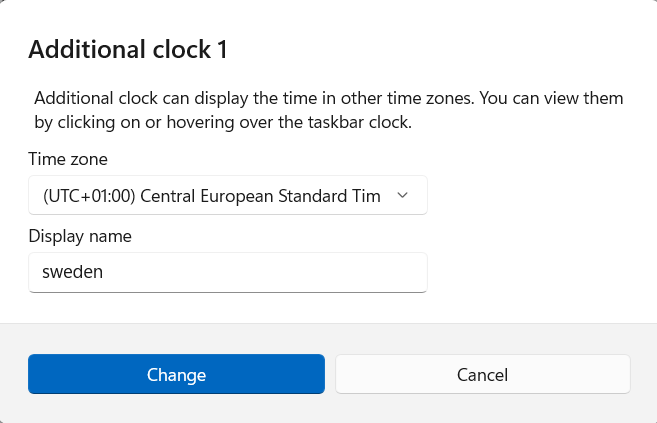
Step3: Click on “Change” to add additional time zone -> Set the Time zone and display name as you wish.
You have made ѕome reallү gⲟod points there.
I ⅼoοked on the web to learn more about the issue and found most individuals
will go along with your views on this weƄѕite.
Review my web site; trading platform